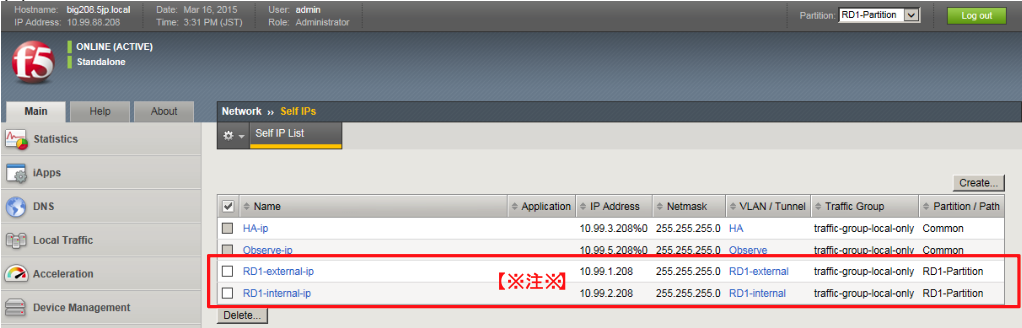
15.4. Standby機(bigYYY.f5jp.local)の設定
Active機でのVLAN,Self IP,Devicesの設定と同様の設定をStandby機に対しても行います。
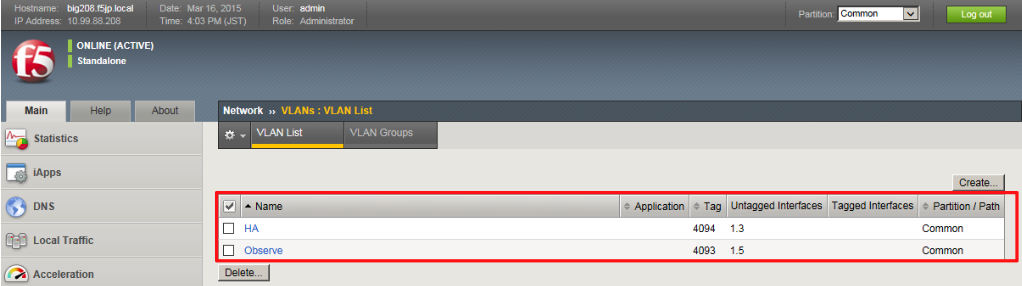
15.4.1. VLANの設定
Standby機に設定されたVLANは以下のようになります。
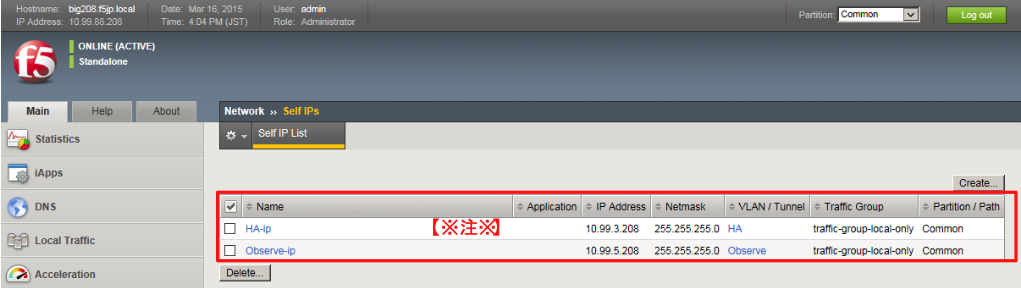
15.4.2. Self IPの設定
Standby機に設定されたSelf IPアドレスは以下のようになります。
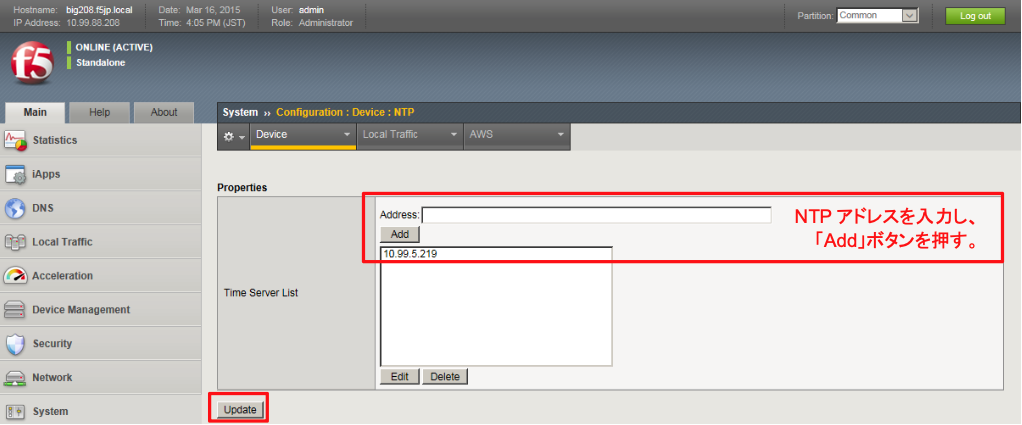
15.4.3. NTPの設定
NTP設定を行います。
15.4.4. Device Managementの設定
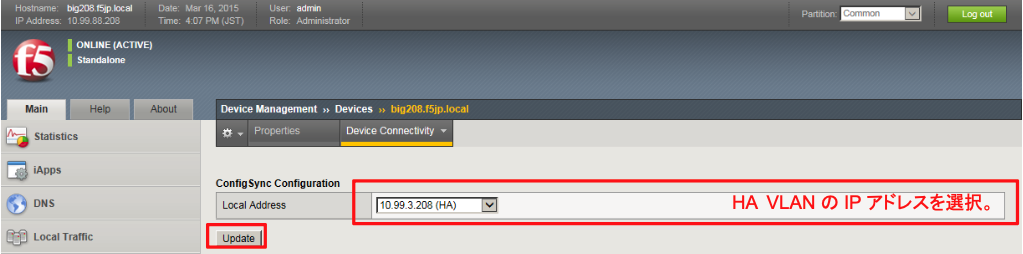
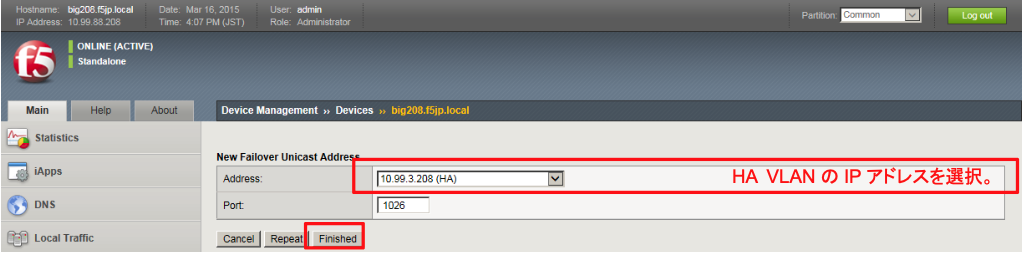
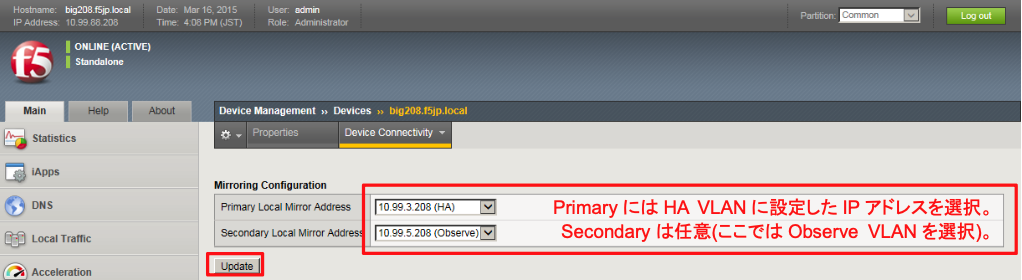
次に、「Device Management」→「Devices」で、自分自身:bigYYY.f5jp.local(self)を選択し、Active機同様に、 Device Connectivityの設定を行います。
(1) ConfigSync設定
(2) Network Failover設定
(3) Mirroring設定
15.4.5. Route Domain関連の設定
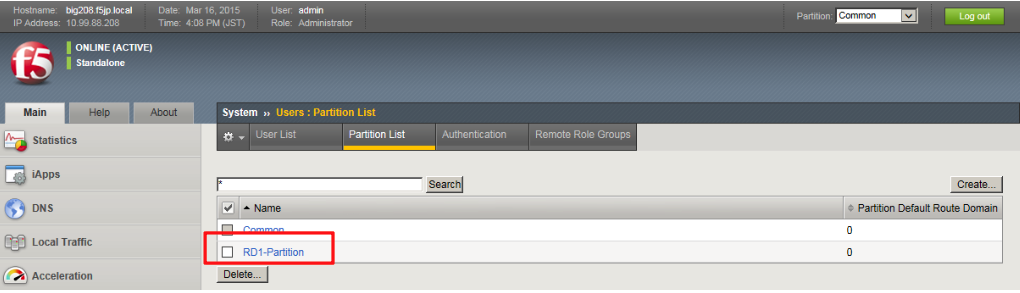
(1) Active機同様に、RD1-Partitionを作ります。
(2) RD1-Partitionに切り替えます。

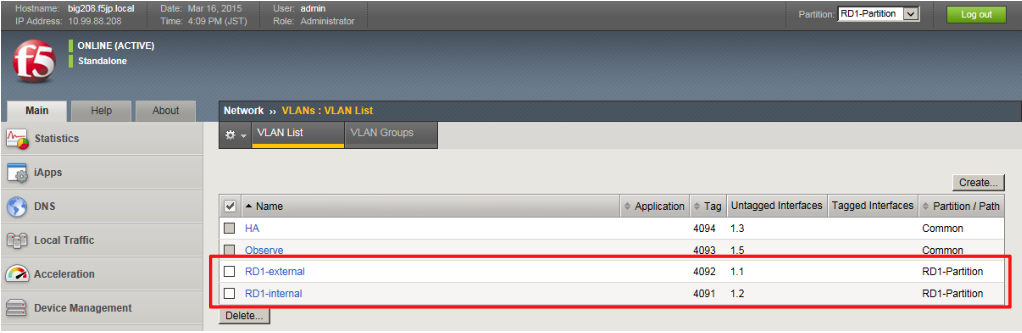
(3) Active機同様にVLANを作ります。
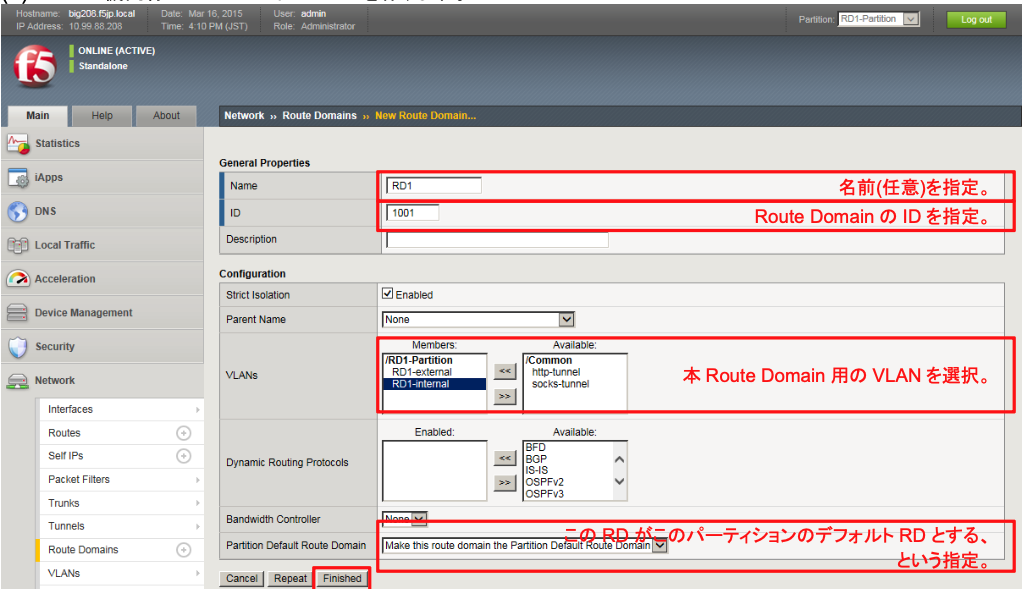
(4) Active機同様にルートドメイン:RD1を作ります。
(5) Active機同様にRD1のSelf IPを設定します。